Launch your own VPN store on Telegram in one command
BOBRES sells and manages 3x-ui subscriptions: a Telegram bot for your customers, a web dashboard for your team, and everything on your own server, with your own domain, bot and brand.
You need an Ubuntu or Debian server, a domain, a Telegram bot and a 3x-ui panel. Details in the FAQ.
Persian and EnglishOne-command installYour server, your data
What it does
From a customer's first message to their renewal
Three parts that work together, and all three are yours.
For customers: a Telegram bot
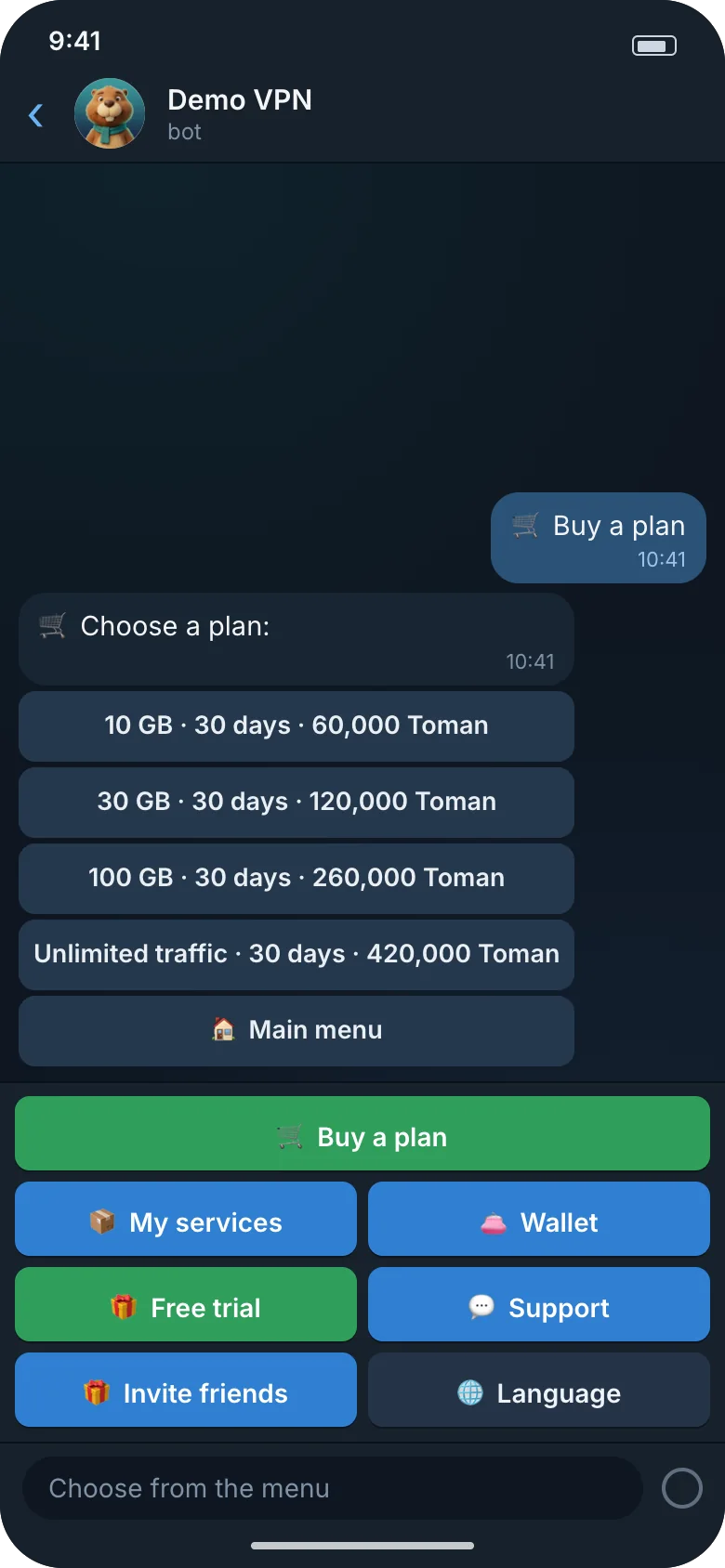
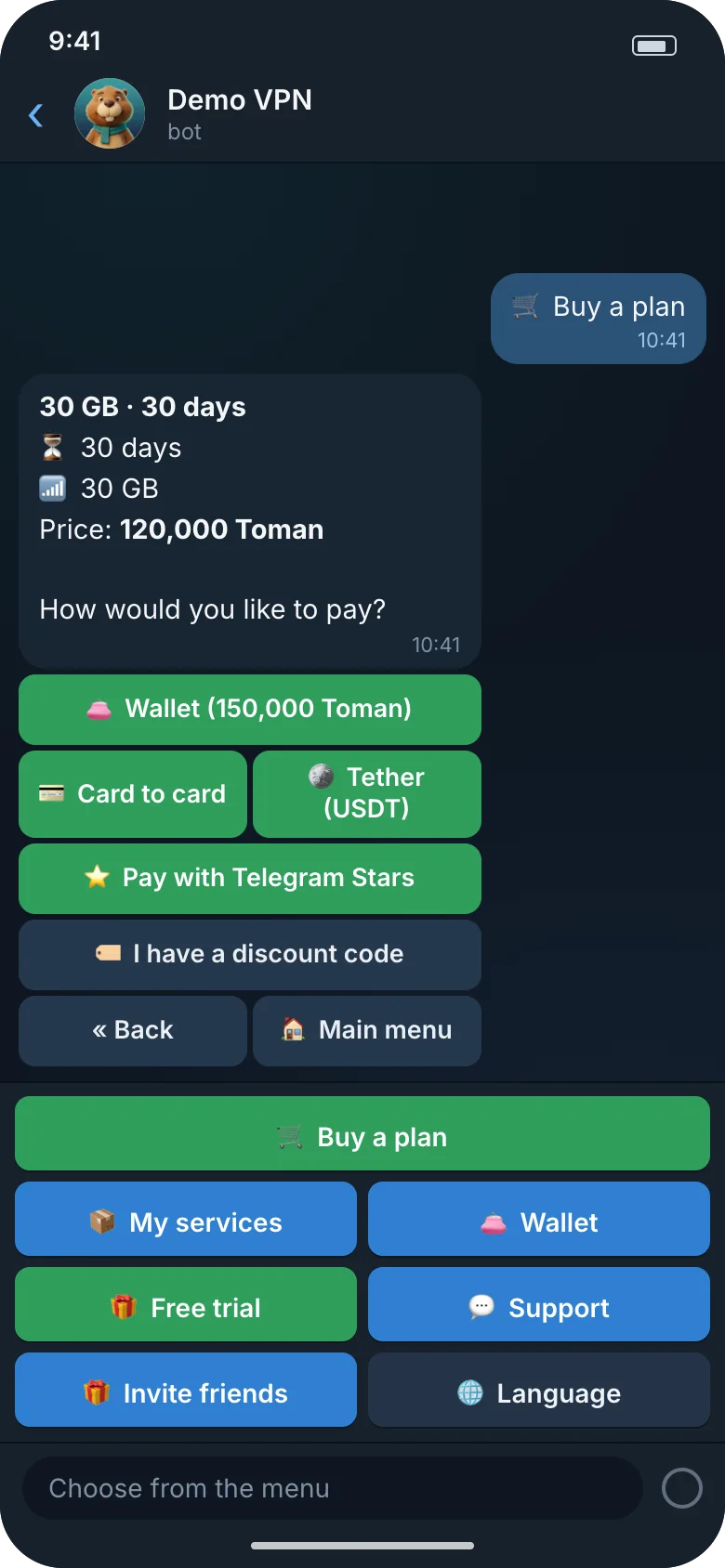
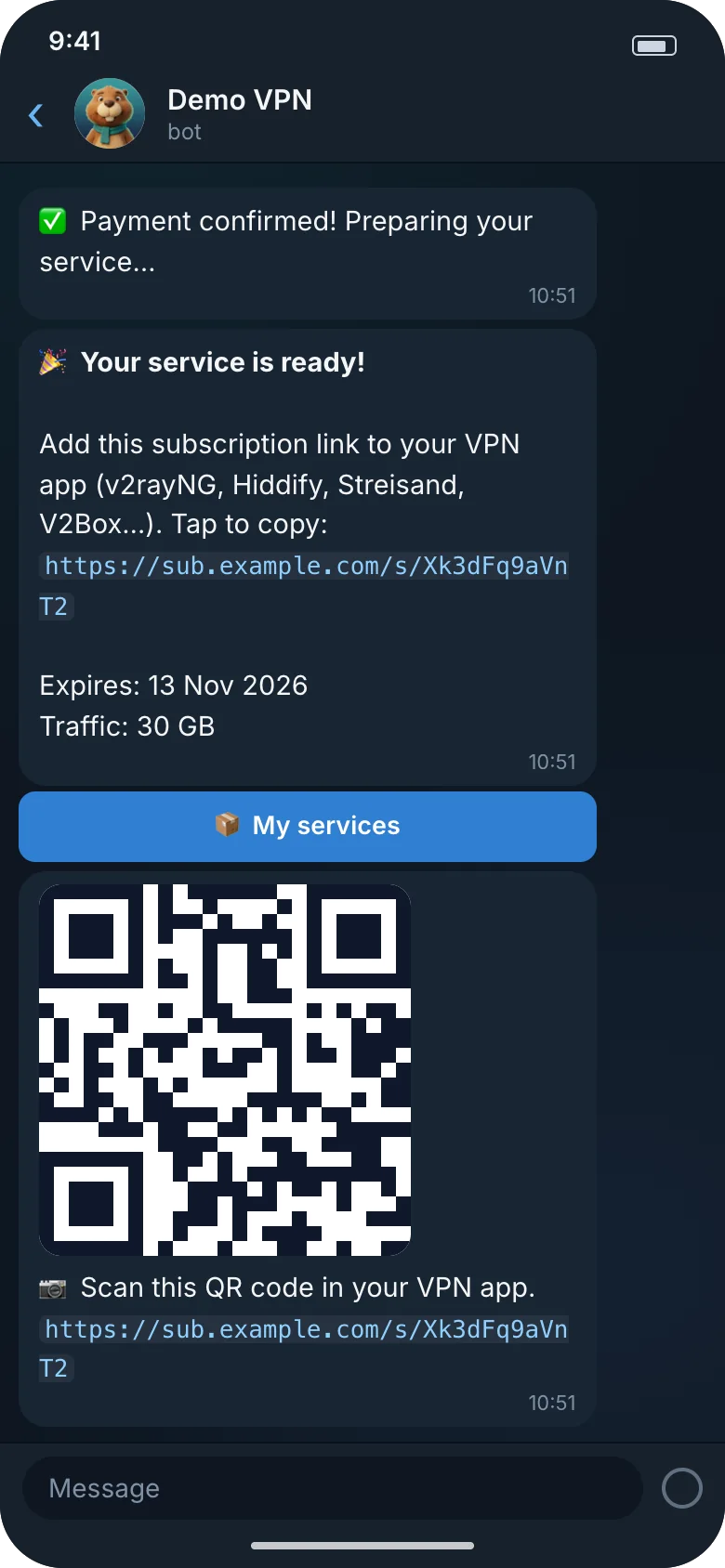
Persian and English, with a bottom menu and colored buttons. A customer picks a plan, pays, and gets the subscription link and a QR code in the same chat. Renewals, extra traffic, a wallet, a free trial, invites and support live in the same bot.
For you: a web dashboard
With owner, admin and support roles: orders and receipts waiting for review, plans, users, discount codes, broadcasts, a support inbox, branding and every bot text. Persian and English, dark and light.
On your server: install and upkeep
A one-command install, daily encrypted backups, alerts in Telegram, an HTTPS manager, updates checked against the release signature that roll back on their own, and server hardening.
Features
What a VPN store needs
Everything in this list is built. Nothing that is not built is listed.
Persian and English bot
Buttons are colored by what they do: green to pay, blue for the main actions, red to cancel. A bottom menu stays under the chat.
Buy, renew, free trial
Traffic, time or both; discount codes; renewals that keep the same subscription link; extra traffic packages; and one free trial per Telegram account.
Wallet and invites
Top-ups with a transaction history, and a reward for whoever invited a friend, paid on the friend's first purchase. Reminders before a service or its traffic runs out are automatic.
Payment methods
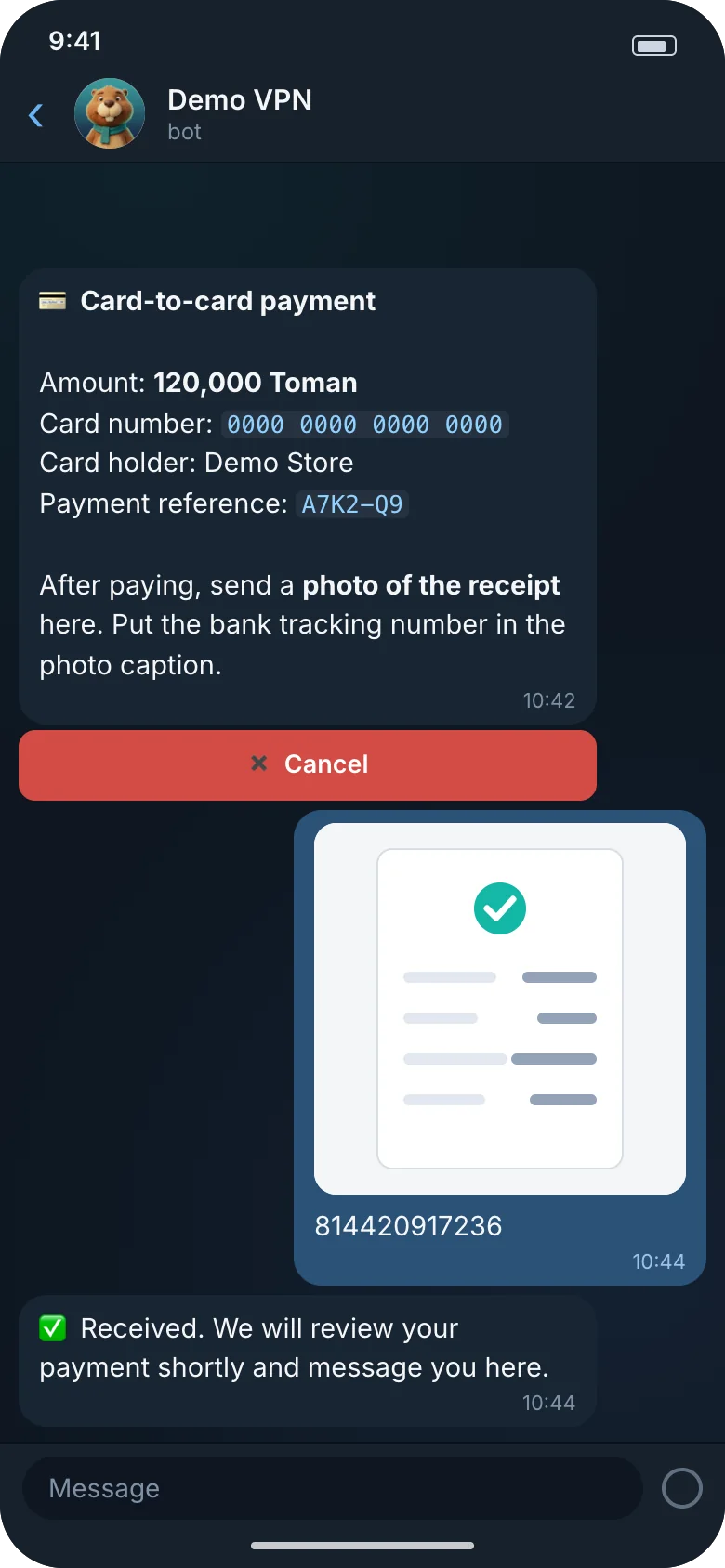
Card to card, USDT (manual, or automatic on TRON), Telegram Stars and, if you want it, Zarinpal. Each payment settles exactly once, and the wallet ledger only ever grows.
Automatic USDT: Standard and up
Resellers
Resellers buy for their customers inside the bot: at their tier's prices, on credit up to a limit, with a statement and a commission.
Standard and up
Several 3x-ui servers
Many panels, each health-checked every minute, with weights and servers per plan. A new service goes to a healthy server with fewer clients for its weight.
More than one server: Standard and up
A dashboard with roles
Owner, admin and support each see only what they may. Log in with a one-time link, or with a password and an authenticator code. The audit log only ever grows.
Your brand
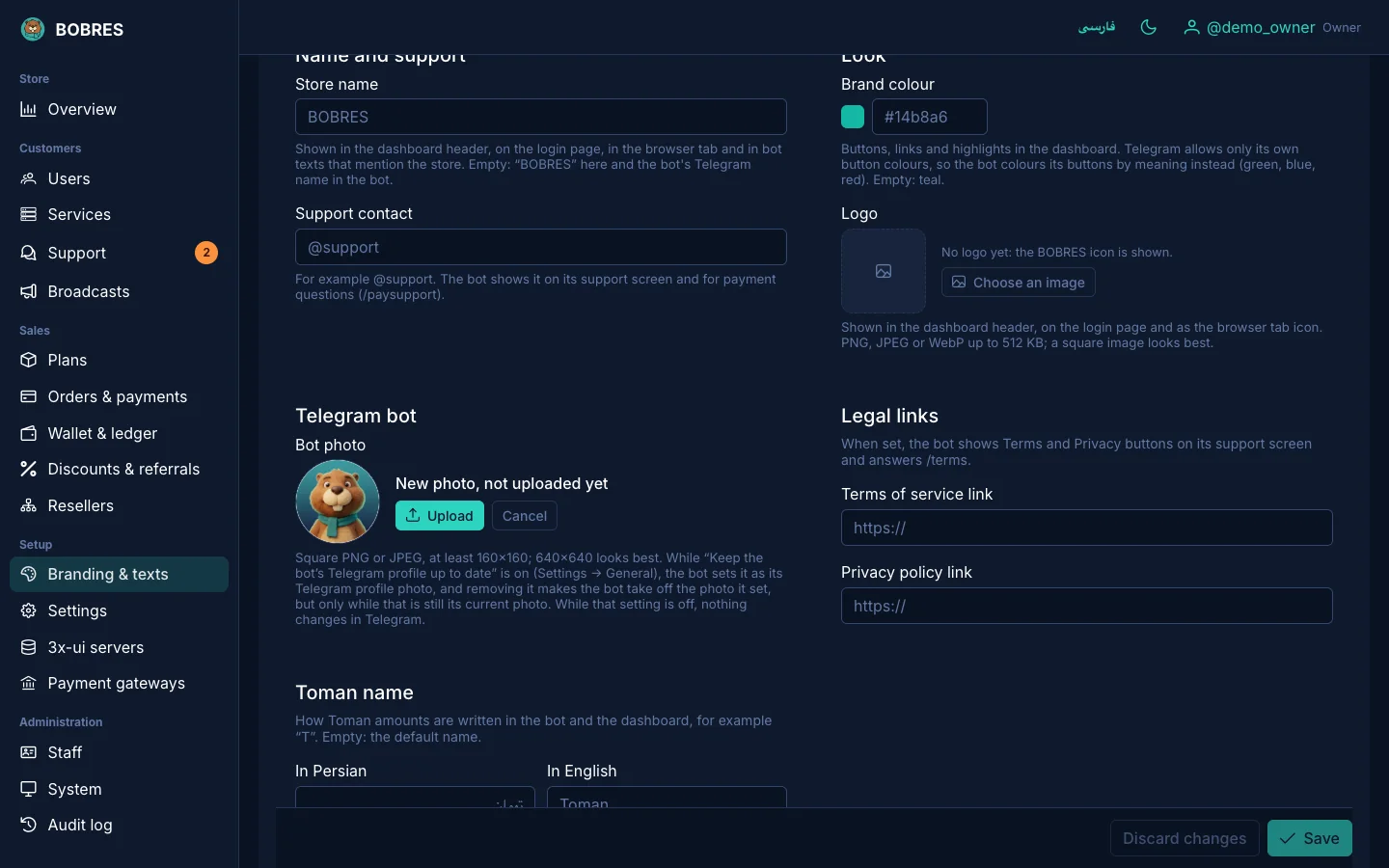
Change the name, logo, color, the bot's profile photo and every bot text, in both languages, from the dashboard.
Removing the BOBRES mark: Pro
Backups
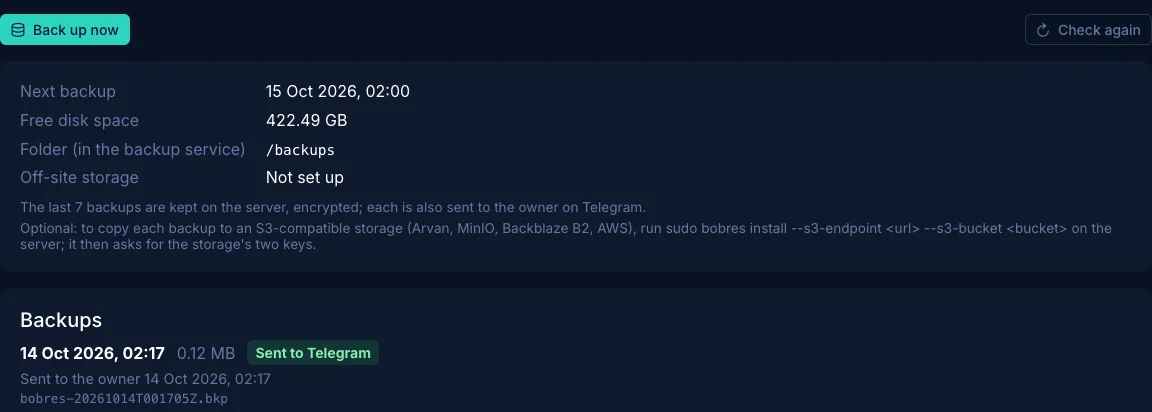
Every day, encrypted: the newest 7 on the server, each one (up to 50 MB) sent to the owner on Telegram, and optionally a copy in S3 storage. Restoring takes one command.
System alerts on Telegram
When a service, a 3x-ui server, a gateway, the disk, a backup or an HTTPS certificate has a problem, you hear about it on Telegram, and again when it is fixed.
HTTPS manager
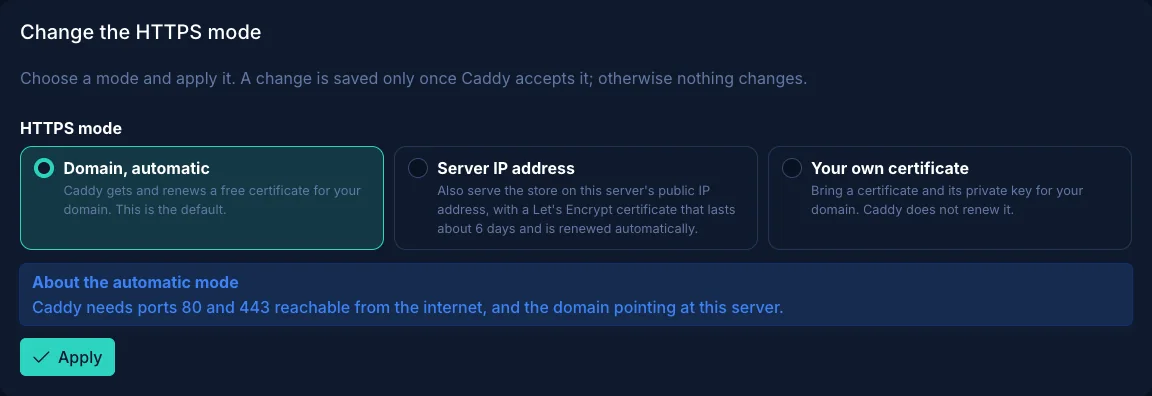
An automatic certificate for your domain (the default), a Let's Encrypt certificate for the server's IP address, or your own certificate and key. From the dashboard or with bobres ssl.
Install, update and roll back
A one-command installer that verifies the signed release before it runs. bobres update has stable and beta channels and rolls back by itself if the new version does not come up healthy. Server hardening is one command, bobres harden.
Screens
See what it looks like
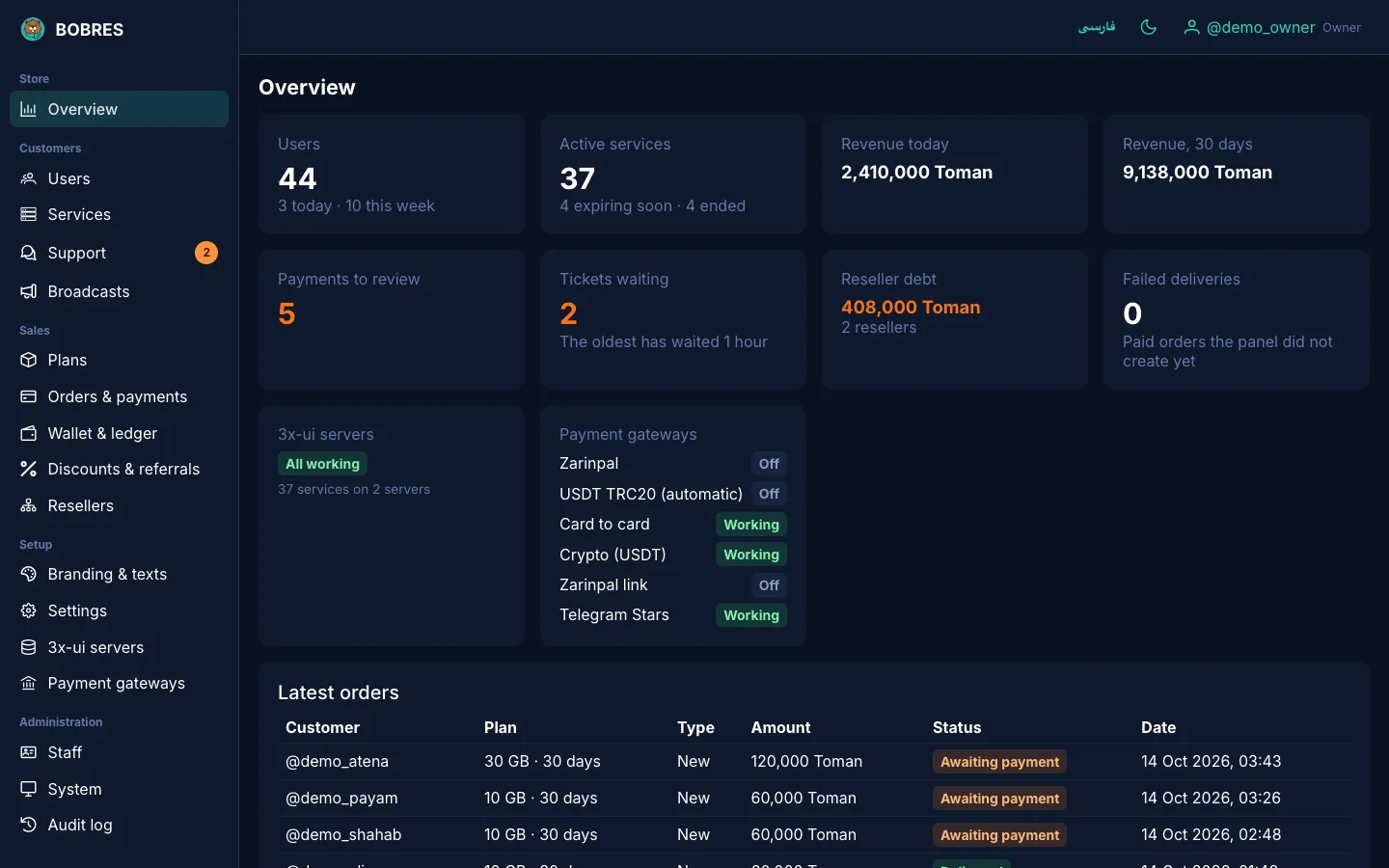
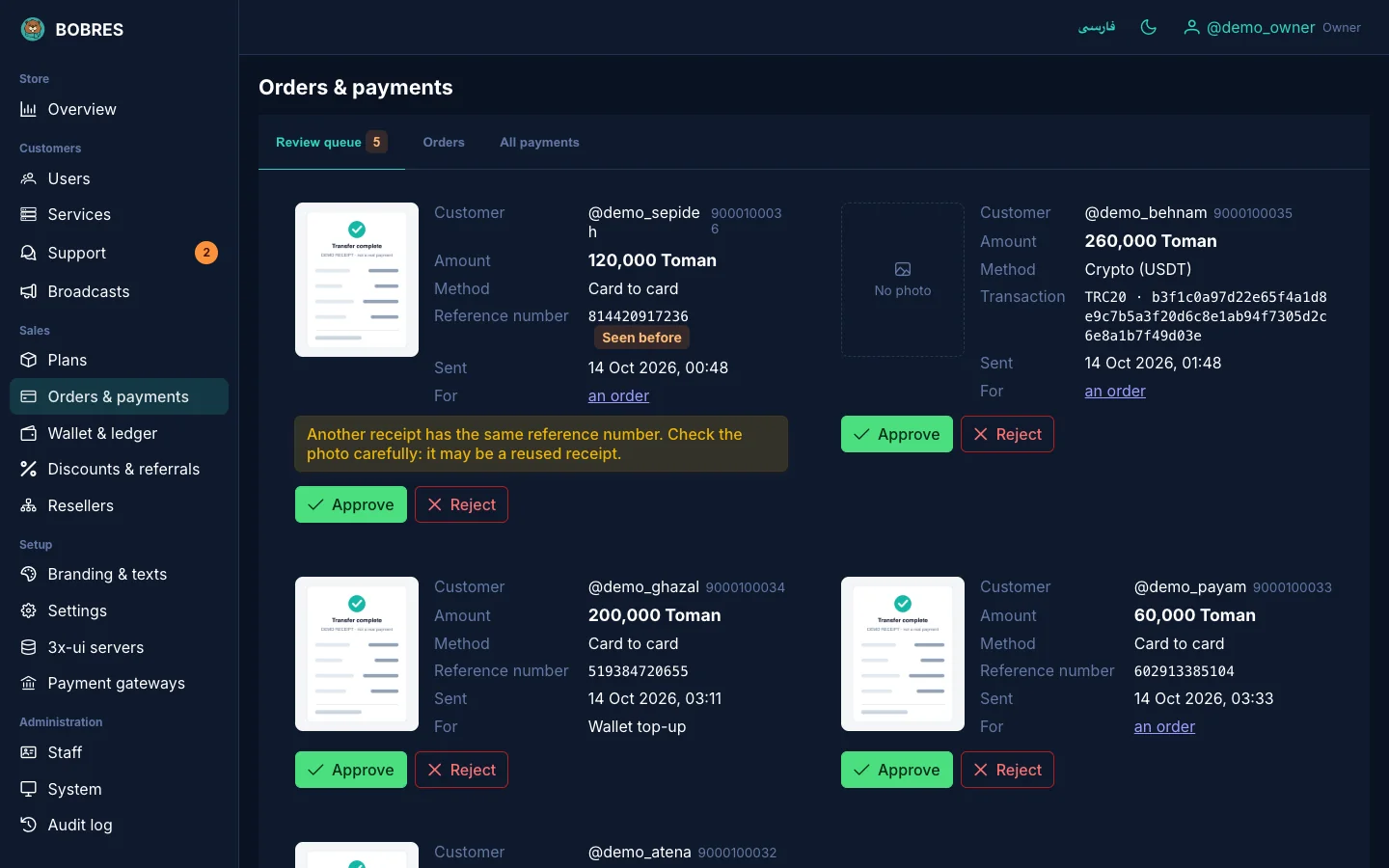
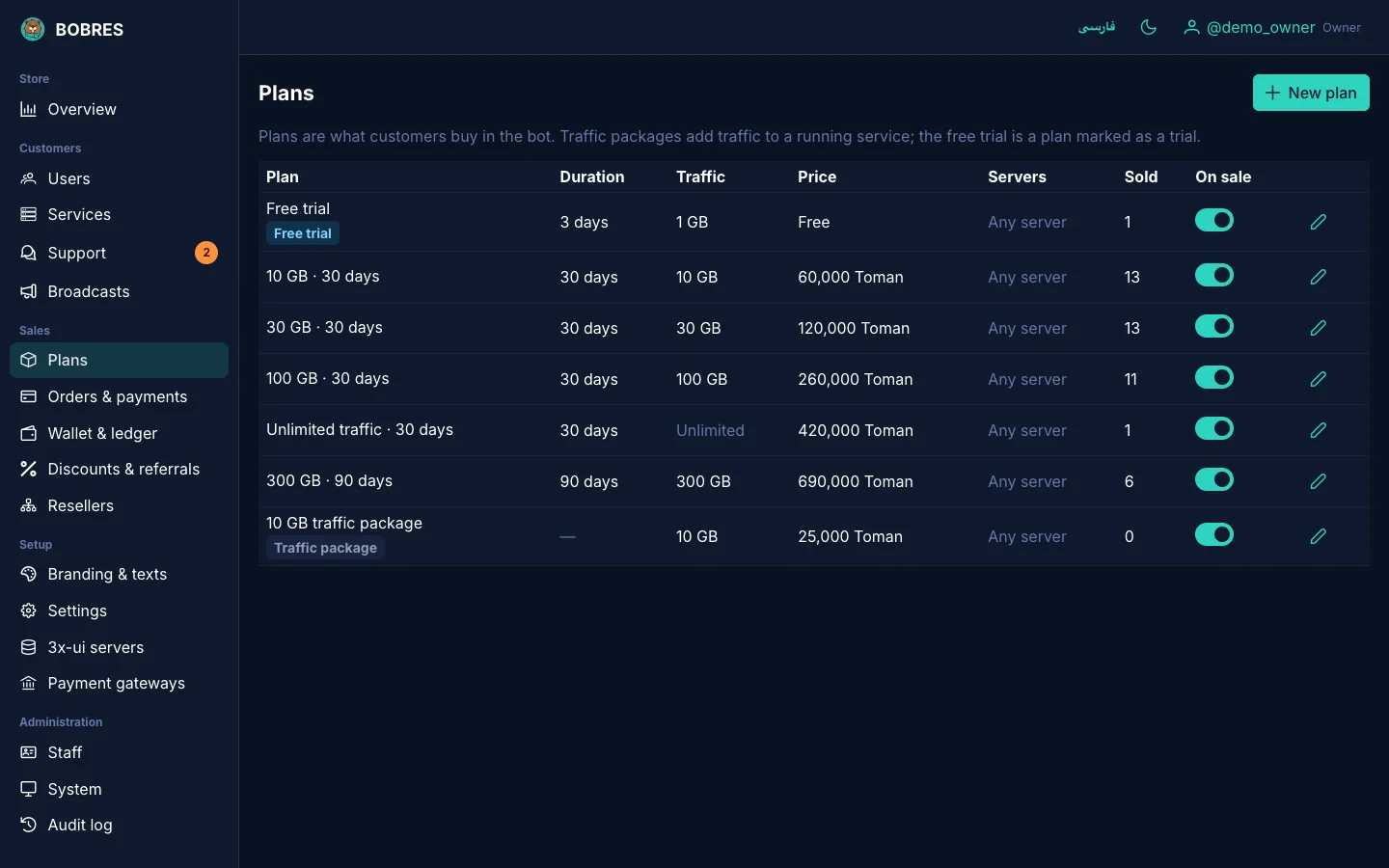
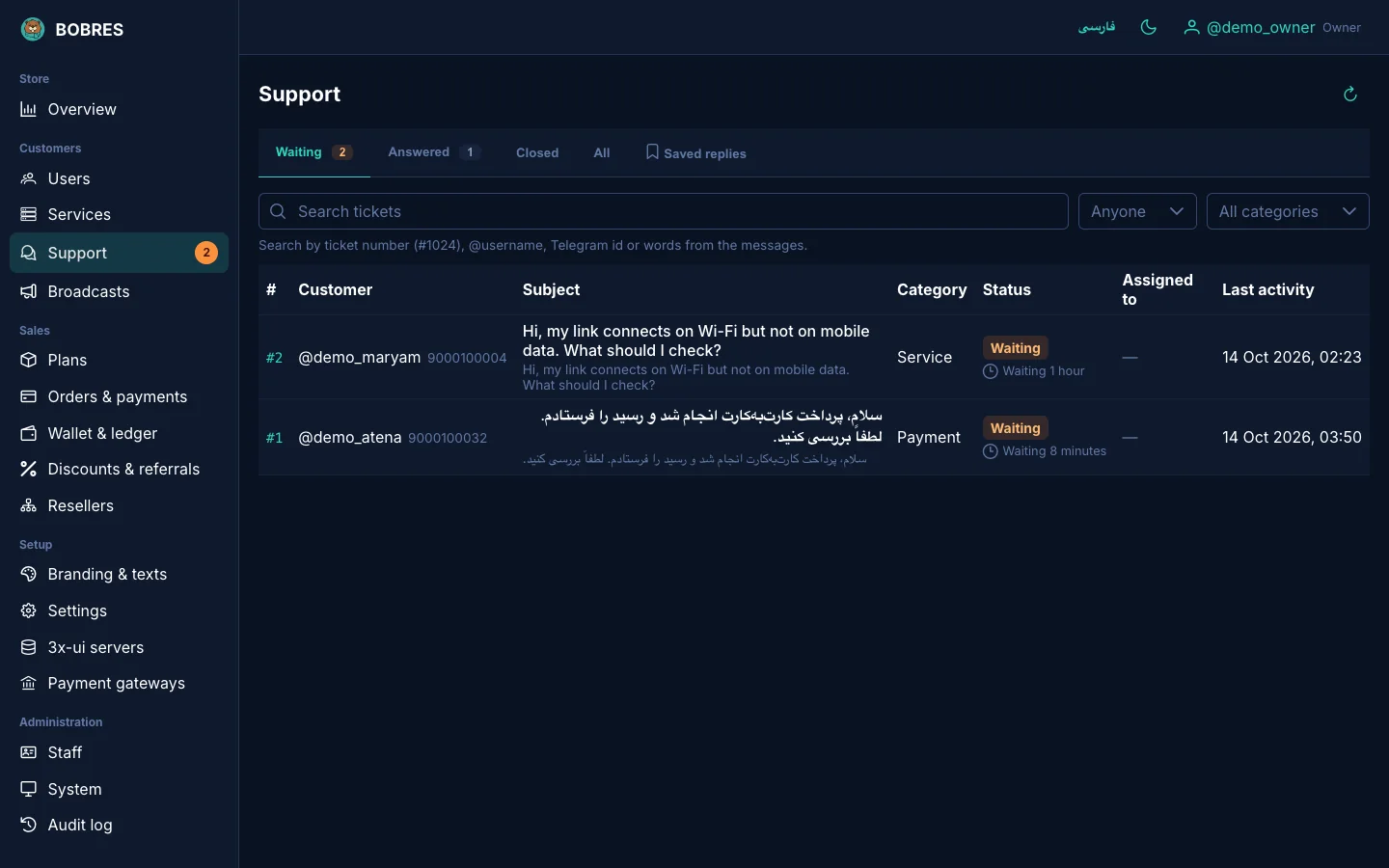
The dashboard screenshots come from a real BOBRES install with demo data: the users, orders and receipts are made up.
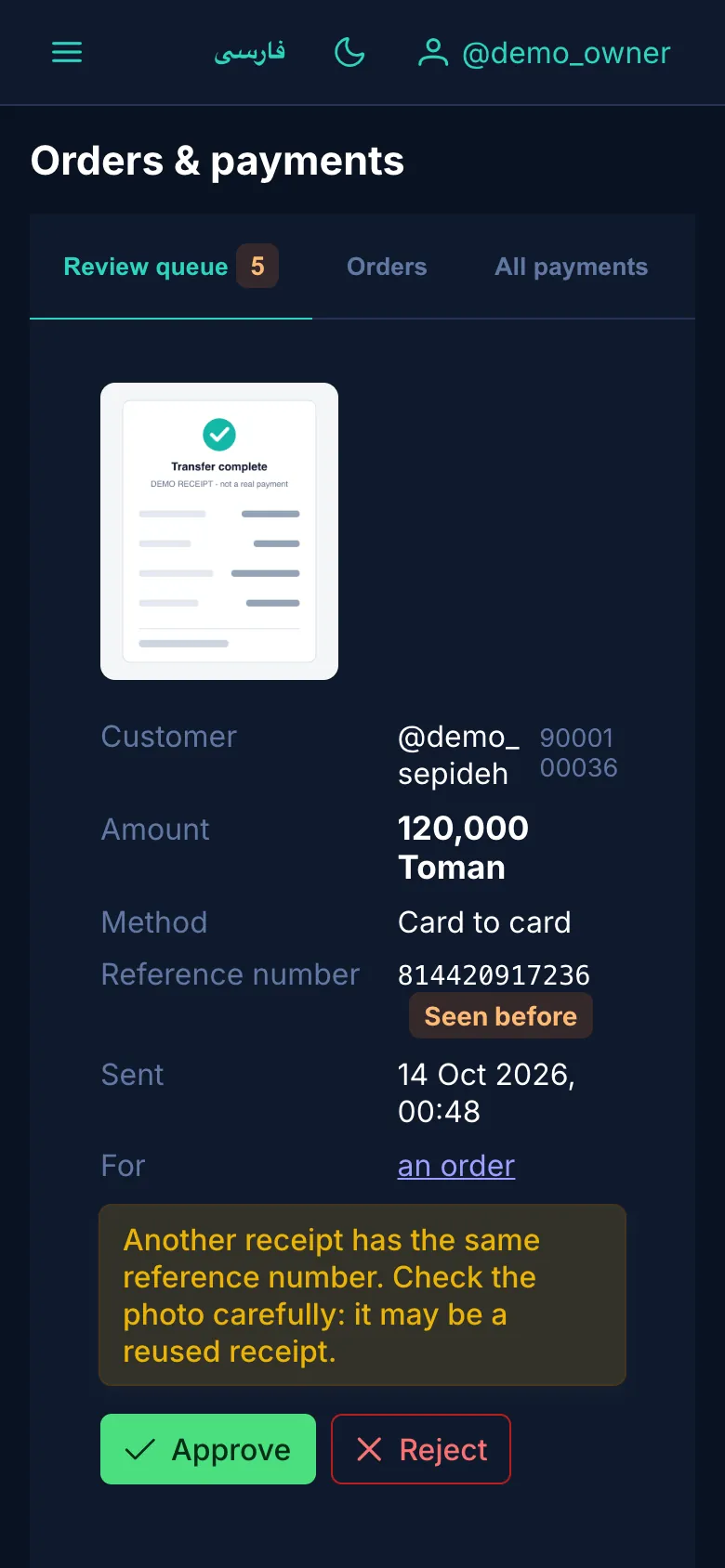
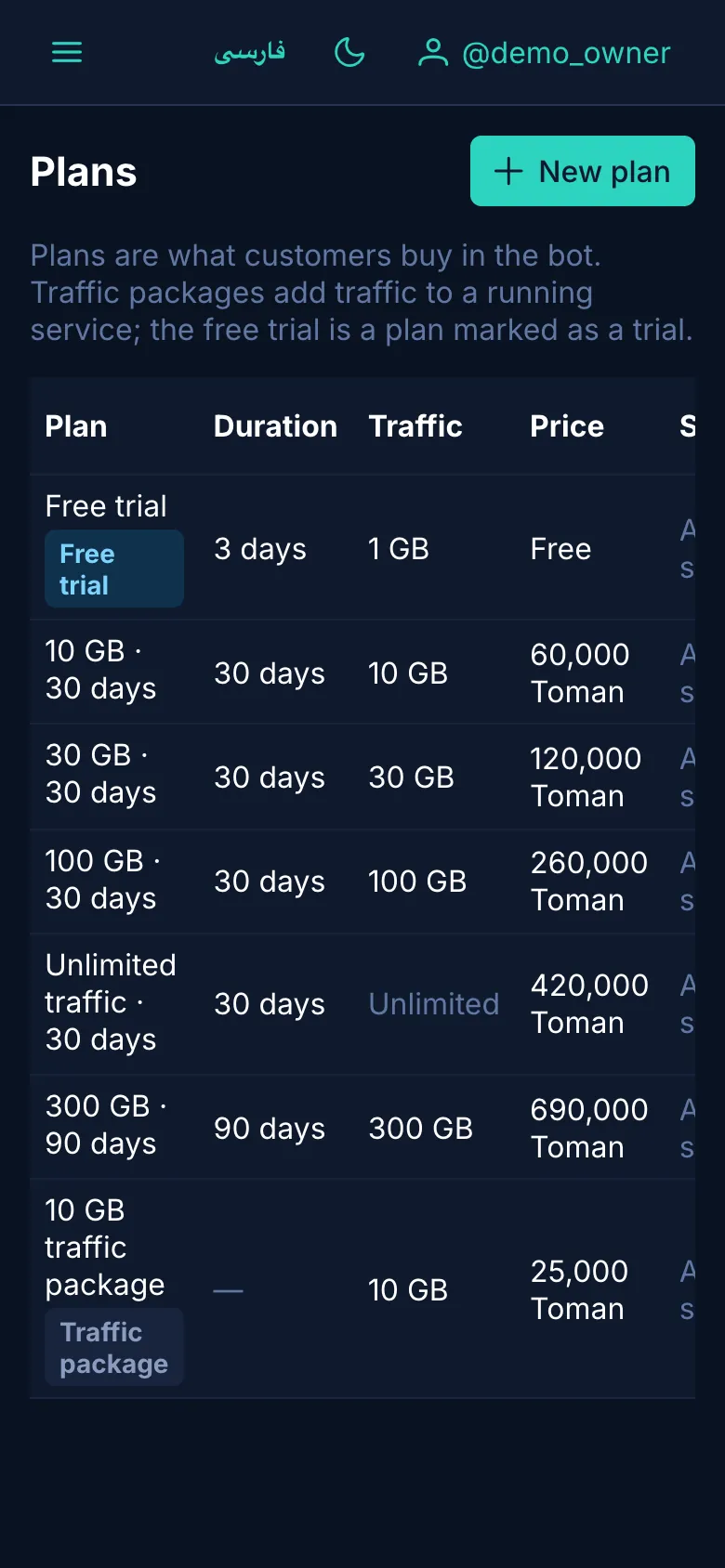
Overview: revenue, services, payments and server health at a glance.The payment review queue: receipt, amount and reference, approved or rejected in one click.Plans: traffic, duration, price, servers and the sale switch.The support inbox: tickets waiting, their category and how long they have waited.Branding: name, color, logo and the bot's profile photo with a round preview.HTTPS: three modes. A change is saved only once Caddy accepts it.Backups: each one is encrypted and sent to the owner on Telegram.
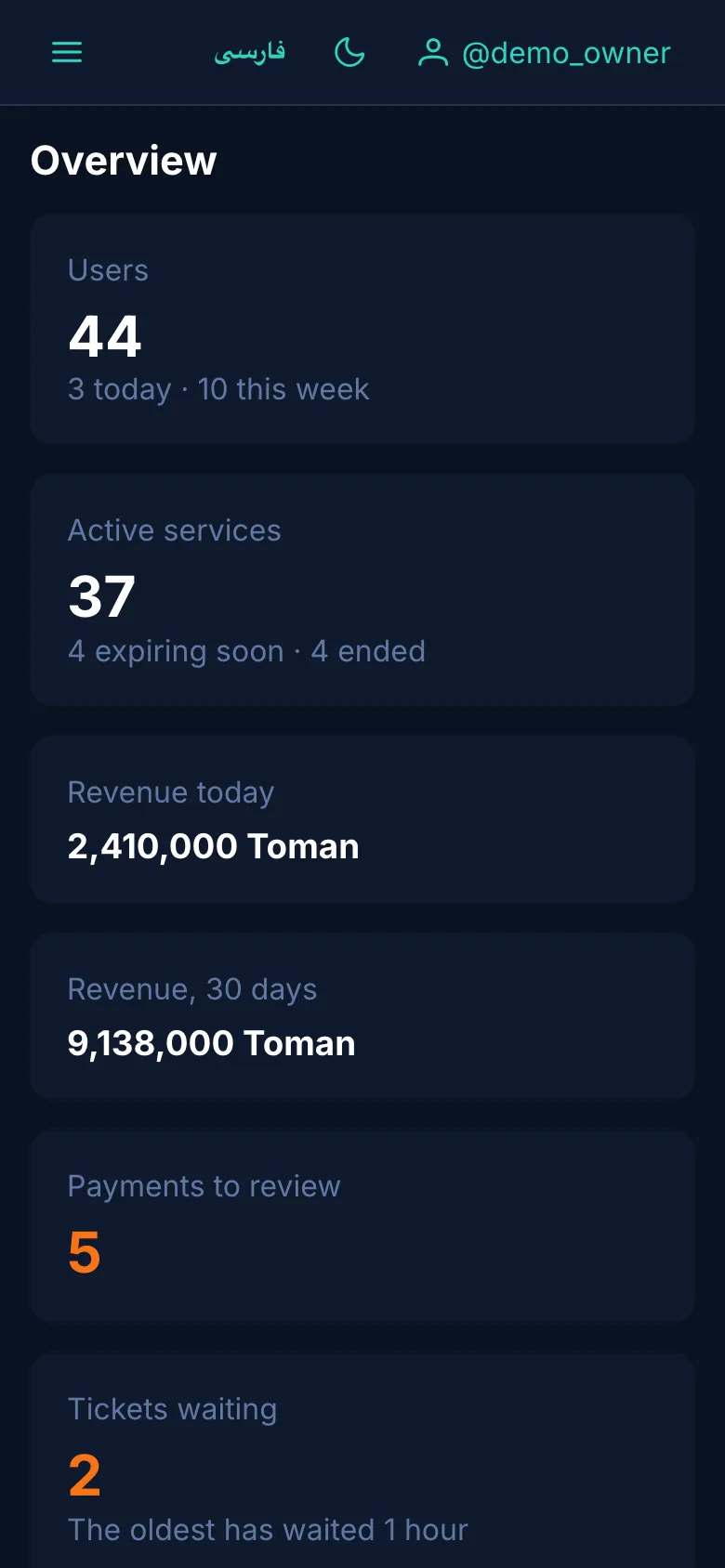
A phone layout tooOn a small screen the menu folds into a drawer. These three pages were captured at 390 px wide.
OverviewPaymentsPlans
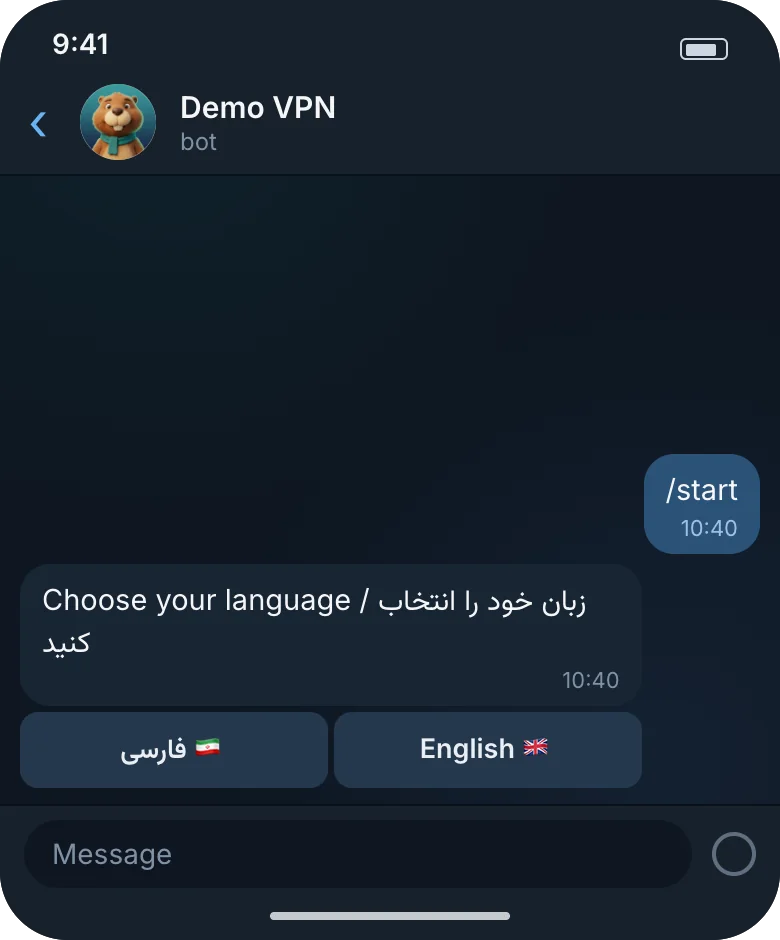
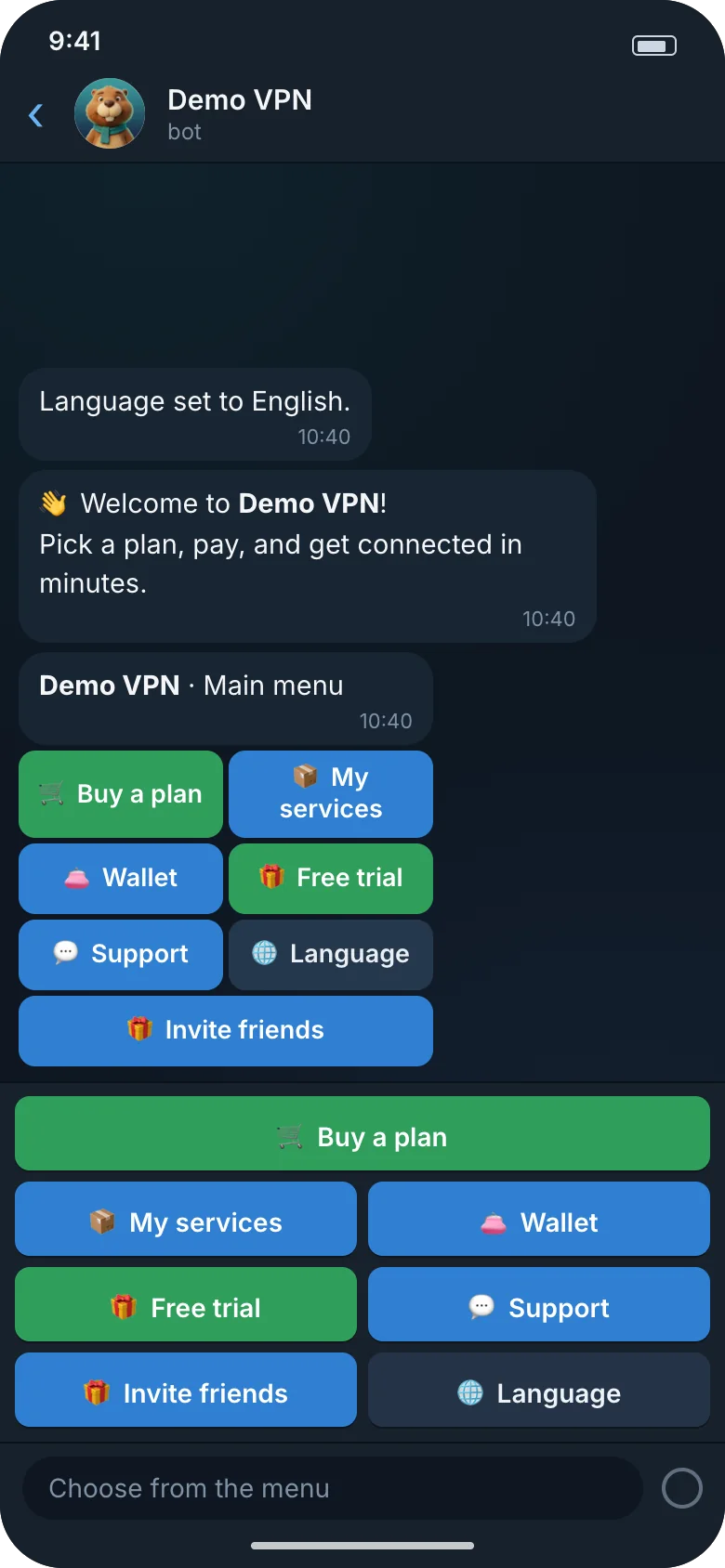
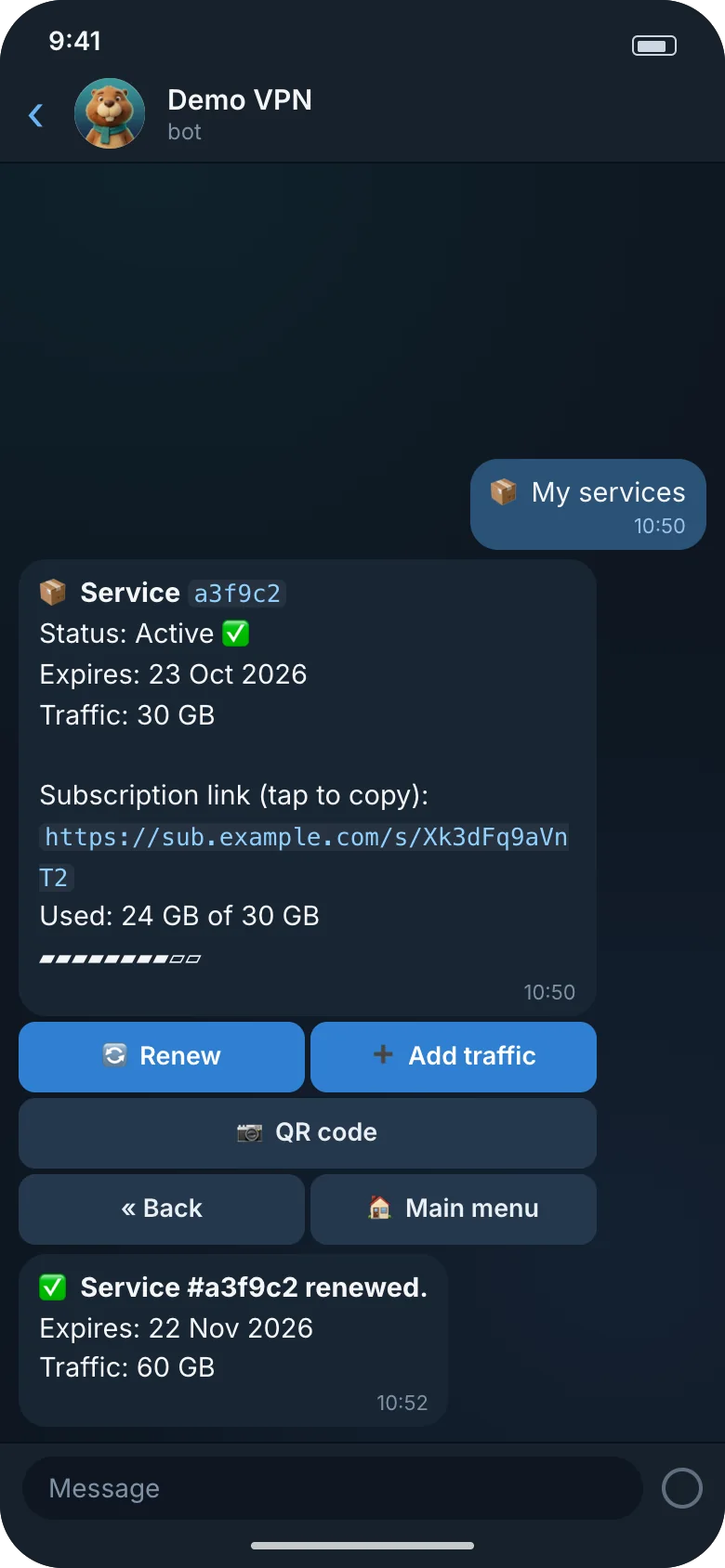
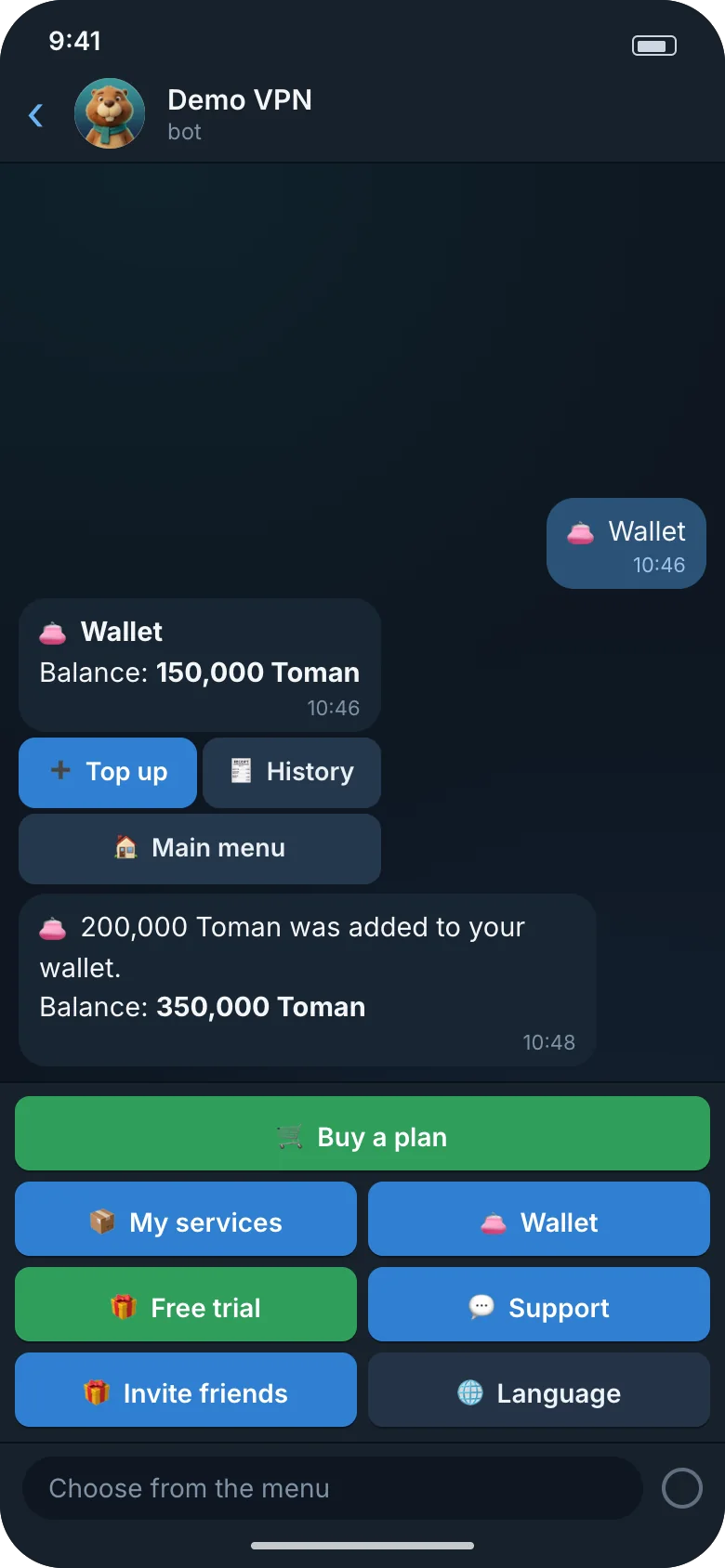
The bot, from a customer's sideIllustration based on the bot's real messages: the texts and the button colors are the ones the bot sends.
/start and the language pickerWelcome and the colored menuThe plan listChoose how to payCard to card, and the receiptDelivered, with link and QRMy service and renewalThe wallet
A short demoUnder half a minute, no sound.
The bot illustrations and the dashboard data are samples and made up.
How it works
Three steps to your first sale
Get ready
You need four things:
An Ubuntu or Debian server
A domain that points to it
A bot from @BotFather and your numeric Telegram ID
A 3x-ui panel with an API token
Run one command
The installer verifies the release's signature, asks for your domain, owner ID, bot token and panel (tokens are typed hidden), generates every secret and starts the store.
Add plans and sell
Send /dashboard to your bot and open the one-time login link. Set up your plans and payment methods, and your store is ready for customers.
Pricing
The core is free. Premium comes with a subscription.
A subscription covers one install. Standard is 4 USDT a month and Pro is 12 USDT a month.
30-day trial
Every new install starts with 30 days of the premium features, so you can try everything except removing the BOBRES mark before you pick a tier.
Every tier includes the bot, the dashboard, backups, alerts, the HTTPS manager and updates with rollback. "Unlimited" means no cap.
Feature
FreeTo get startedNo cost
StandardFor a growing store4 USDT / month
ProNo caps, your own brand12 USDT / month
Capacity
3x-ui servers
1
Up to 3
Unlimited
Active services
Up to 25
Up to 500
Unlimited
Dashboard staff seats
2
5
Unlimited
Selling
Persian and English bot, wallet, free trial, invites
Included
Included
Included
Card to card, manual USDT, Telegram Stars, Zarinpal (optional)
Included
Included
Included
Automatic USDT (TRC20)
Not included
Included
Included
Resellers
Not included
Included
Included
Brand and upkeep
Your name, logo, color and bot texts
Included
Included
Included
White-label (no BOBRES mark)
Not included
Not included
Included
Backups, Telegram alerts, HTTPS manager, updates with rollback, hardening
Payment is by USDT only (on the TRC20 network). A year is billed as ten months: Standard 40 USDT and Pro 120 USDT a year. You get the license key in the same bot after you pay, and the same bot is where you write for help.
FAQ
Plain answers
What do I need to install it?
A server with Ubuntu 22.04 or 24.04, or Debian 11, 12 or 13 (amd64 or arm64), 1 GB of RAM (2 GB is better), 10 GB of free disk, ports 80 and 443 free, and root access.
A domain whose A record points to the server.
A new Telegram bot from @BotFather, and your numeric Telegram ID.
A 3x-ui panel with an API token. Versions 3.8.5 to 3.9.0 are tested, and you can add panels later in the dashboard.
The installer installs Docker if it is missing.
Do I need 3x-ui? Does it work with older versions?
Yes. BOBRES creates and manages users on 3x-ui panels. For now only version 3 is supported, tested on 3.8.5 and 3.9.0. There is no adapter for older versions yet; we build one only when a customer needs it.
Which payment methods are there?
The wallet, always on.
Card to card, USDT (TRC20 or ERC20) and a Zarinpal payment link (optional): the customer sends a receipt photo (for USDT, a transaction ID is enough) and you approve it from the review queue. A repeated reference number is flagged.
Telegram Stars, at your own rate in Toman.
Zarinpal online (optional), off until you enter a merchant ID.
Automatic USDT on TRON (TRC20): each payment gets its own exact amount and 45 minutes to pay, and an exact match settles by itself (Standard and up).
What does online Zarinpal need?
Zarinpal online needs your own approved merchant account. We have not verified that Zarinpal accepts VPN stores, so ask Zarinpal's support before you switch it on. Card to card, USDT and Telegram Stars work without it.
Who owns the data and the customers?
You do. BOBRES runs on your server, with your domain, bot and panels. Your customers, orders and wallets stay in that server's database, and backups are encrypted with a backup key.
Nothing about your customers is sent to us. Only an install that uses online license activation talks to the project's license server (which, like any server, sees the address a request comes from). At activation it sends the key, the install ID, the domain and the version. The daily refresh sends the installed license token and the version. Free installs that never activate send nothing. Releases are downloaded from GitHub. (Your bot, of course, talks to Telegram, your payment providers and your panels, as it must.)
One more request: in the HTTPS server-IP mode, the bot asks api.ipify.org (then ifconfig.me) for the server's public address. No customer data is in that request.
How do updates work?
With sudo bobres update. It verifies the release's signature, makes a backup, keeps a restore point and rolls back by itself if the new version does not come up healthy. If you change your mind later, sudo bobres rollback undoes the last update. There are stable and beta channels.
Licensing, in plain words
The core is free: the bot, the dashboard, the manual payment methods, Stars, Zarinpal (optional), backups and HTTPS. The Free tier covers 1 server, up to 25 active services and 2 staff seats.
If you need resellers, automatic USDT, more servers and services, or no BOBRES mark, you take a subscription for each install: Standard or Pro. Every new install starts with a 30-day trial of the premium features (everything except removing the BOBRES mark). Prices: Standard is 4 USDT a month and Pro is 12 USDT a month, paid in USDT (TRC20); a year is billed as ten months.
What happens when a subscription ends?
Nothing is deleted. Your customers and their services keep working, and your install goes back to the Free tier. A license never stops what already exists; it only affects new actions.
What security measures does it have?
Four separate services, each with its own database role and token; the 3x-ui tokens live only in the provisioner and the gateway secrets only in payments.
Secrets are encrypted at rest, with a separate key for each service.
Releases are signed with Ed25519, and BOBRES's own Docker images with cosign. The Postgres, Redis and Caddy images come from others and are pinned by version (Caddy also by digest).
The dashboard has CSRF tokens, authenticator codes for every password login, a strict CSP and an append-only audit log.
BOBRES's own services run as an unprivileged user, with a read-only filesystem and no extra capabilities.
These are measures, not a guarantee. Review the install yourself before you open it to the public.
Can I try it before I pay?
Yes. There is a free tier with the limits above, and every new install starts with a 30-day trial of the premium features, everything except removing the BOBRES mark.
 BOBRES